starryai - AI Art Generator
starryai Inc.Art & Design
4.34.92K Reviews
- Version
- 2.30.5
- Installs
- 10.00M
- Age Rating
- Teen
Screenshots
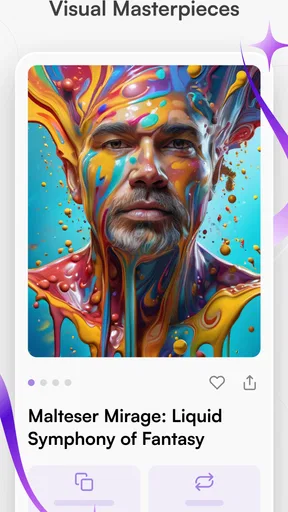
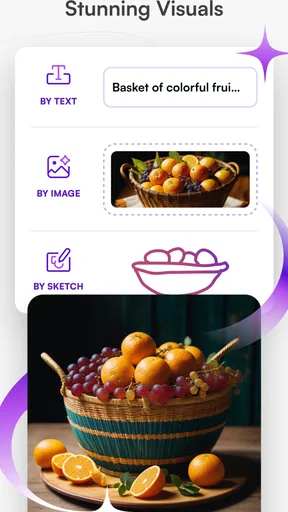
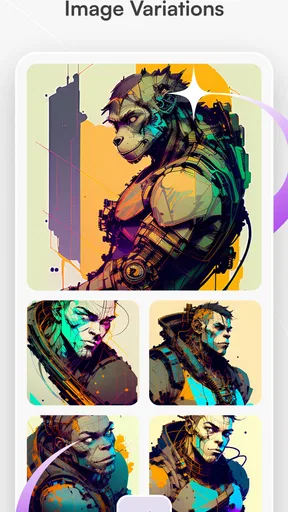
Our Review of starryai - AI Art Generator
 Analysis by Appyee
I often think of AI art apps as the sketchbook you reach for when an idea is vivid but your drawing skills haven’t caught up. starryai - AI Art Generator suits that moment: it turns a written idea or an image into an artwork, giving me something concrete to react to rather than a blank canvas. I find it most useful as a playful starting point, not as a replacement for an artist or a precise design tool. That distinction matters when I’m deciding whether to use it alone or share it with other people at home.
A shared creative session, with one person steering
Picture a quiet evening when someone wants a fantasy landscape for a story, while another person at home has a different idea for a portrait. The app makes it easy to take turns: one person can suggest the subject, another can describe the mood or visual style, and the prompt can be adjusted until the result feels closer to the group’s idea. That kind of back-and-forth is more satisfying than simply asking the app for “something cool,” because each revision gives everyone a clear way to contribute.
For shared use, though, I would treat the phone as a shared canvas rather than assume the app provides household profiles or parental controls. Agreeing who is using the device and which account is open before starting avoids accidental mix-ups. If several people want to keep separate creative work, each person should understand whose account and saved activity they are using, rather than expecting the app itself to organize a family’s projects.
Setting expectations before the first prompt
The best first experiment is narrow and visual. I might describe a red fox in a snowy garden at dusk, then add one clear mood or style direction. If the result misses the mark, I change one element at a time instead of rewriting the entire prompt. This makes it easier to see which words are influencing the picture and helps a beginner learn how to communicate an idea to an image generator.
Image input can be useful when the group already has a rough visual reference, but it also calls for a little care. Before uploading a photo, I would make sure everyone pictured is comfortable with that choice, especially if the image includes a child or personal details. For a casual session, a drawing, a non-sensitive reference, or a text-only prompt may be a better starting point. That practical boundary is worth establishing before people get excited and start adding images without thinking about who is in them.
Getting Started with starryai
Jumping into starryai is as easy as pie. Once you download the app, available for both Android and iOS, you're greeted with a user-friendly interface that's intuitive and simple to navigate. No need to dig through endless menus or settings; everything you need is right at your fingertips.
To create your masterpiece, all you have to do is input a text prompt or upload an image. The app’s AI engine then gets to work, generating a piece of art that reflects your input. It’s like having a personal artist on standby, ready to bring your imagination to life in seconds!
The Magic Behind the Art
So, how does starryai work its magic? Well, it leverages advanced machine learning algorithms to interpret and transform your inputs into unique artworks. The AI is trained on a vast dataset, which means it can mimic various art styles and techniques, from abstract to hyper-realistic, and everything in between.
One of the coolest features is the style selection. You can choose from a wide range of artistic styles, allowing you to customize your artwork to suit your personal taste. Whether you're into Van Gogh’s swirls or Picasso’s cubism, there's something for everyone.
Exploring the Features
Let’s dive into some of the standout features that make starryai a must-have for budding digital artists:
- Customizable Inputs: Tailor your prompts to get the exact artistic vibe you're going for. The more detailed your input, the more refined the output.
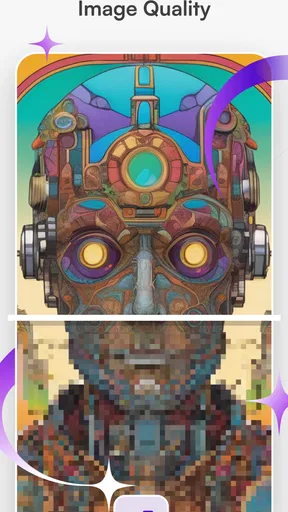
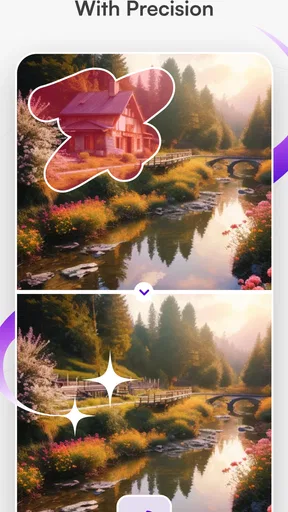
- High-Resolution Outputs: The app doesn’t skimp on quality. You get high-res images perfect for printing or sharing on social media.
- Batch Processing: Want to create multiple pieces at once? No problem! This feature is a huge time-saver if you’re looking to generate a series of related artworks.
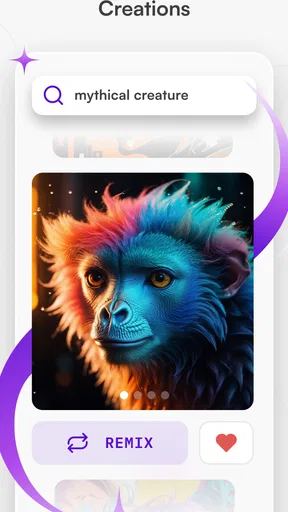
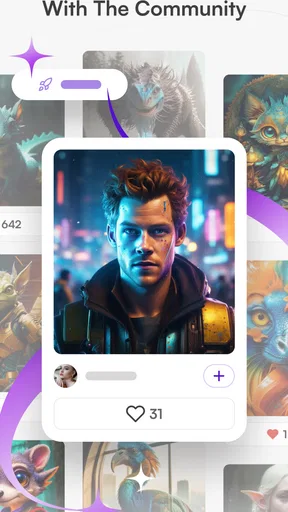
- Community Sharing: Join a vibrant community of creators. Share your work and get inspired by others.
Making a prompt work harder
For a more useful result, I think in layers: subject first, then setting, then mood, then a visual treatment. A prompt such as “a tiny greenhouse on a windswept cliff, soft morning fog, storybook illustration” gives the generator distinct ingredients without burying the idea in a long list of adjectives. If the output is attractive but compositionally wrong, I change the subject’s position or the viewpoint rather than piling on more style words.
There is a trade-off between detail and control. More descriptive wording can guide the overall feeling, but it does not guarantee exact placement, lettering, or small object details. I wouldn’t rely on generated text inside an image for a finished invitation or a logo. A better workflow is to create the visual background in the app and add precise words or layout elements later in a conventional design editor.
Batch creation, when available in the workflow, is most valuable for exploring alternatives rather than expecting a set of identical outputs. I would use it to compare a few interpretations of the same concept, then refine the strongest direction. For a household activity, that also gives everyone a chance to vote on which image best matches the shared idea. It is less helpful when the task requires strict consistency across a series of images, since small differences can make a set feel uneven.
Choosing the right tool for the job
Compared with drawing apps, starryai removes the need to build every shape by hand, which makes it approachable when I have an idea but limited illustration experience. A drawing app is still the better choice when I need exact control over a line, a character’s expression, or a carefully planned composition. Traditional photo editors are stronger for retouching a real picture, while a template-based design app is usually more dependable for neat layouts, readable text, and polished event graphics.
That makes this app a good fit for brainstorming, mood boards, playful gifts, story illustrations, and visual prompts for a classroom activity. It is less suited to a job where a client expects a particular object in a precise position, or where an image must match an established brand style. I would also choose a conventional editor when the final result needs reliable typography or detailed manual finishing. The AI can help me discover a direction; it does not remove the need to check whether the finished image actually serves its purpose.
Age, trust, and shared expectations
starryai is an art and design app from starryai Inc., and it carries a Teen content rating. I would take that age context seriously in a household: an adult can introduce the app, discuss what kinds of prompts and images are appropriate, and stay involved in a shared session. A rating is useful guidance, but it is not a substitute for a family conversation about creative boundaries, image sharing, and respectful use.
The app is free to install, with in-app purchases listed from $4.49 to $299.99 per item. That wide range makes it sensible to check the purchase details on the device before anyone begins experimenting, particularly if the device is shared. I would not assume that “free” means every possible use is included at no cost. For a first session, I’d focus on trying a small idea and decide whether the workflow is worthwhile before considering any purchase.
For perspective, it has an average rating of 4.3 from around 208,000 ratings, with over 5 million installs. Those figures suggest it has reached a large audience, but they don’t tell me whether a particular prompt will work or whether its style will suit my taste. I’d treat my own short trial as the meaningful test: can I get an image that helps with the idea I actually have?
Why You’ll Love It
The magic of starryai lies in its ability to make digital art accessible to everyone. You don’t need a degree in fine arts or expensive software to start creating. The app is perfect for hobbyists, educators, and even professionals looking to explore AI-assisted art.
The collaborative aspect is another highlight. You can tweak and refine the AI-generated art, adding your personal touch and pushing the creative boundaries even further. It’s a seamless blend of human creativity and machine learning prowess.
Where I’d draw the line
I would skip this app if I needed a dependable production pipeline with exact specifications, or if I wanted to learn illustration by practicing the fundamentals of drawing. Generated images can inspire a project, but they don’t teach perspective, anatomy, or how to construct a composition in the same hands-on way as drawing software and lessons. People who mainly want to edit photos, assemble a poster, or make a clean logo may feel they are working around the generator instead of using the right tool.
I’d also keep expectations modest around iteration. A prompt is a creative direction, not a precise command, so the first result may capture the mood while missing a detail that matters to me. When that happens, a short, deliberate revision is more productive than repeatedly adding unrelated descriptors. If a result is close but not usable, I treat it as a reference for a manual editor rather than spending the whole evening trying to force a perfect image from one prompt.
Wrapping It Up
In a world where digital art is rapidly gaining popularity, starryai - AI Art Generator stands out as a revolutionary tool that democratizes art creation. Whether you're looking to create a quick masterpiece or embark on a deep creative project, this app has got your back.
So, why not give it a try? Let your imagination run wild and see what the fusion of AI and art can create. Who knows, you might just discover a hidden talent you never knew you had!
Ready to start your artistic adventure? You can find the download links for both Android and iOS right here on our site. Happy creating!
My household verdict
For a shared device, I see starryai as a fun activity when everyone understands whose session they are using, agrees on suitable prompts, and treats image uploads thoughtfully. It can turn a spare few minutes into a collaborative idea-making session, and the prompt process gives people of different drawing abilities a way to contribute. I would not rely on it to manage separate family accounts or supervise use automatically; the household needs to handle those boundaries itself.
The app is free, belongs to the art and design category, and its current version is 2.23.3, with Android 8.0 or later listed as the minimum system requirement. For me, those practical details matter less than the fit: try it if you want quick visual inspiration and are happy to guide the result, but choose a drawing or layout tool when accuracy and hands-on control matter more. Used with that expectation, it’s an enjoyable creative companion rather than a one-stop solution for every art task.
Verdict
Strengths of starryai - AI Art Generator
- User-friendly interface for beginners.
- High-quality AI-generated images.
- Wide variety of artistic styles.
- Regular updates with new features.
- No artistic skills required.
Limitations of starryai - AI Art Generator
- Limited free version features.
- Occasional slow processing times.
- Requires internet connection.
- May consume significant storage.
- In-app purchases can be pricey.
Similar Picks in This Category
View All
Canva: AI Photo & Video Editor
Canva4.8

PENUP – Drawing-sharing SNS
Samsung Electronics Co., Ltd.4.5

Crafto
Kutumb App4.6

Sketchbook
Sketchbook4.1

ibis Paint X
ibis inc.4.5

Adobe Express: AI Photo, Video
Adobe4.6
Frequently Asked Questions
What is starryai and how does it work?
Starryai is an AI-powered art generator that allows users to create unique and stunning artwork with minimal effort. Using advanced algorithms, it transforms text prompts or initial images into creative art pieces. Users simply enter a description or upload an image, and the app handles the rest, generating artworks that can be customized further.
Can I use starryai without any artistic skills?
Absolutely! Starryai is designed to be user-friendly and accessible to everyone, regardless of their artistic background. The app's AI technology does most of the work, enabling users to produce high-quality art without needing prior knowledge or skills in art creation. It's perfect for both beginners and experienced artists looking to experiment.
Is starryai free to use, and are there any in-app purchases?
Starryai offers a free version with limited features, allowing users to explore its basic functionalities. However, for a more comprehensive experience, including access to advanced tools and additional styles, users can opt for in-app purchases or a subscription plan. This ensures that both casual users and professionals can find options that suit their needs.
What formats can I export my artwork in, and are there any limitations?
Users can export their creations in various formats, suitable for both digital use and printing. Common formats include JPEG and PNG. While the free version may have some limitations on resolution and format options, premium users can access higher resolution exports, making it ideal for professional use or high-quality prints.
How does starryai handle copyright and ownership of generated artwork?
Starryai typically grants users full rights to their generated artwork, allowing them to use, share, and even sell their creations. However, it's important to review the app's terms of service for detailed information on copyright and ownership. This ensures users understand their rights and any restrictions that might apply to commercial use.
